İZAN
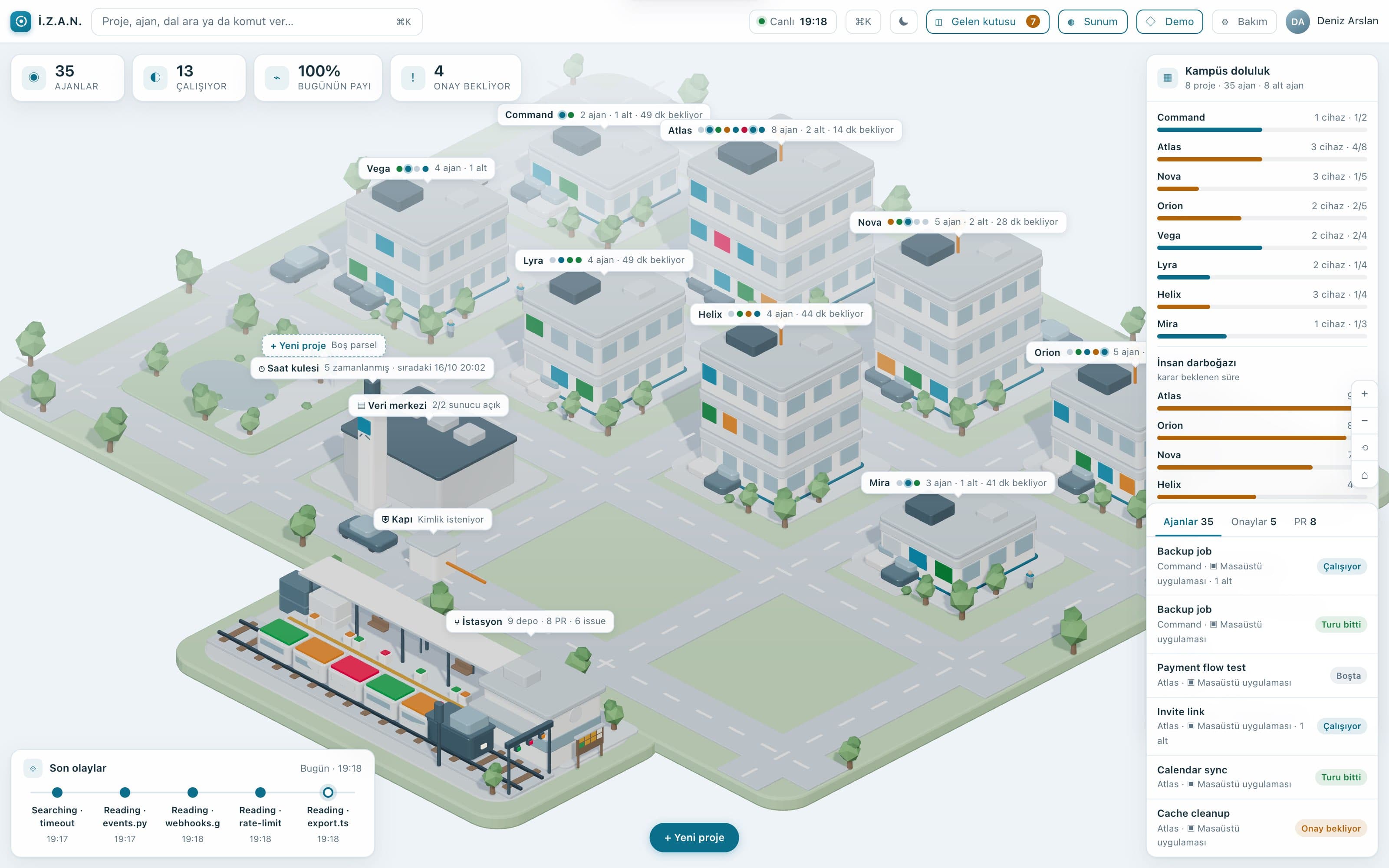
More than twenty AI agents run at once, and a list tells you nothing about them. İZAN — Turkish for good sense — draws all of your agents as a living campus: each team a building, each session a worker.
What it does
The whole team at a glance
Each team is a building, each session a worker. Who is working, who is waiting, who has finished — all on one screen.
The day's flow
What started, what ended, where a threshold was crossed. You read the whole day without walking through sessions one by one.
Load and usage
Which team the usage piles up in, and how much of it comes from subagents; you see it before the quota fills.
Managed from the same screen
Start a team from ready-made role sets, then write or say the job; the session opens and the work runs in the campus.
How it works
Start a team
Product, iOS, Android, API, web, writing, research — open a team from the ready role sets.
Give the job
Pick the team, write or say the job; İZAN opens the session and puts the agent to work.
Watch
The status rings show who is working and where the load is gathering.
Keep it going
A session nearing its context limit is renewed with a handover note, so nothing is lost.
Where do you manage your agent team from?
İZAN runs inside Lyconiq's own studio for now. Join the list and we'll write when it opens up.